


AltaMail
The Ultimate Email App

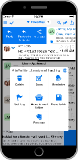
For iPhone
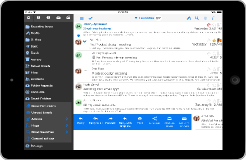
... iPad
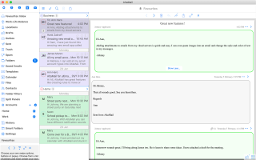
... and Macintosh
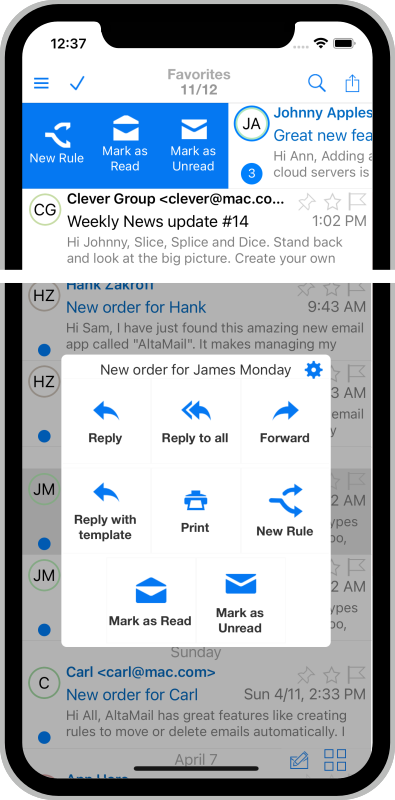
Quickly Tame Your Email
Tap into the huge range of tools to clear your inbox from clutter.
Quick swipe actions will archive, prioritize and process your influx of daily emails. There's a time and a place for every email in your inbox - AltaMail will make that happen. Your own rules can process email without you even touching it and reminders can postpone emails until you are ready. Search, bulk select, archive, process spam and delete.
"I used to have 1000+ emails just sitting in my inbox, sometimes for months. Altamail helped me get to Inbox Zero in 2 days!"
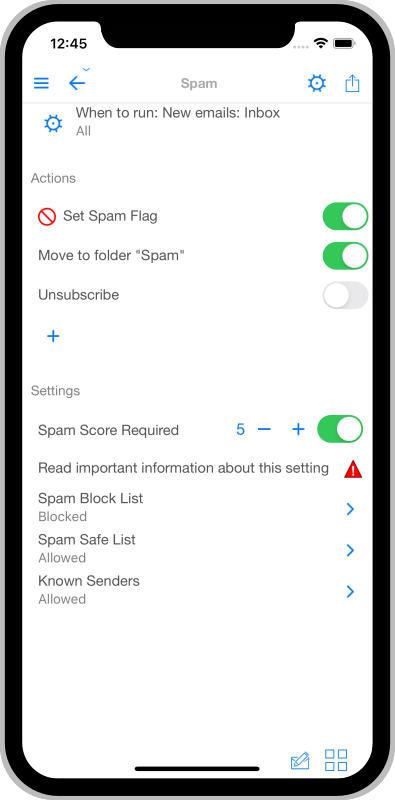
Eliminate Spam Forever
Use the Smart Spam Detector and other features to clear Spam from your Inbox.
The unique Smart Spam Detector in AltaMail will actively target Spam emails and either flag them or remove them completely. You can also train the Spam detector further to recognise good and bad emails.
You can automatically unsubscribe from unwanted lists and you can even create your own spam rules for advanced filtering.
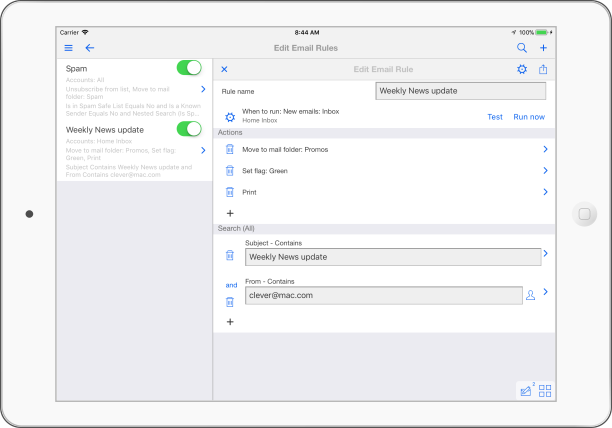
Build your own Rules
Process email automatically.
The rules engine in AltaMail is second to none. It has more power than most desktop email applications. You can automatically move emails to folders, process spam, reply with templates, mark with flags and categories, print, delete and much more. Use the huge range of email attributes to build rules the way you want.
Email Work-Life Balance
Problem solved!... by Altamail.
With the increasing focus on the impact email has Work-Life balance, AltaMail solves the four pillars of Work-Life Balance. There are advanced tools for handling sending emails after hours. You can specify your own quiet times during the day to focus on tasks without email interruption. Use custom smart notification filters and schedules to reduce interruptions by unimportant emails. Clear your head when you leave the office by relegating your business email to the bottom of the inbox or gone completely using locations and schedules.
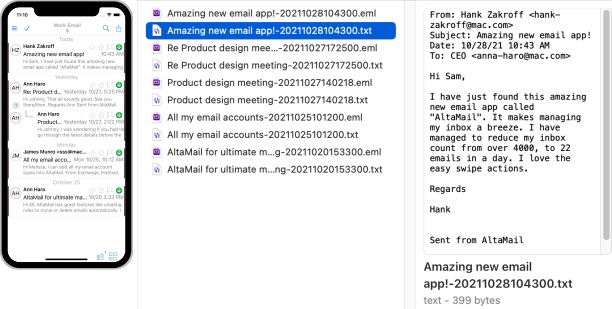
Backup your emails as files offline
Automatically save your emails as files in the cloud or on your Mac or PC
You can automatically create backup files of your emails and save them to offline storage. These files will contain all of the email content and can be opened by various email applications that support email files. This is a great way to archive your emails using cloud servers or other archiving options. You can also use a file search to search through the email contents. The email backup files will be exact copies of the emails in your email accounts.
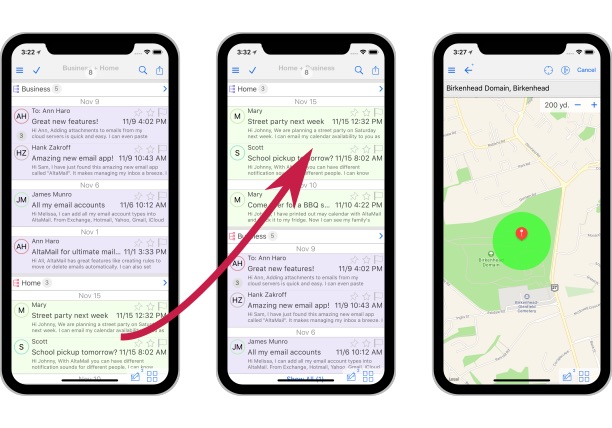
Dynamic email layout
Work email stays at work.
You can use your location to change your inbox layout. View your work emails while you are in the office. When at home or elsewhere, view your personal emails at the top with work email below, or no work emails at all!.
Create your own work-life balance and clear your head of email that can wait until Monday. Send emails, but delay arrival until during the week.
Use different locations to display different email accounts and account type groups.
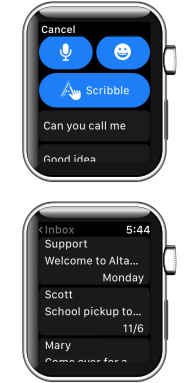
Email on your Apple Watch
Quickly read and reply on the go.
Check your email and receive notifications on your Apple Watch. Quickly reply or action new emails. Scroll through your inbox and even print emails and attachments.
Compose and send emails while on the go. Print emails, even remotely.
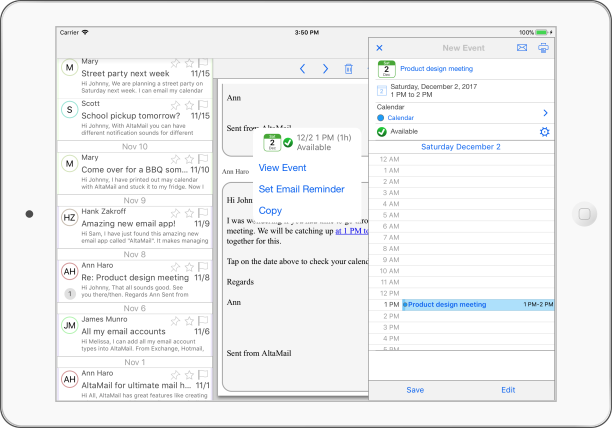
Calendar Integration
Emails and events in one place.
View and edit your calendar using emails and their content. Reply to meeting requests or view dates and times inside email messages to see your availability.
Email a list of available times and quickly add dates and email reminders to your calendar. Print and email your calendar views so others can see what is happening. Print maps and directions for calendar events with addresses.
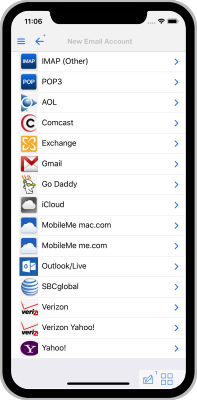
All your Email in One Place
One App for all of your accounts.
Whether your email accounts are Exchange, Outlook, IMAP, POP or one of the multitude of email providers, AltaMail will quickly add an email account to your list.
Choose to include accounts in the unified inbox, or access via a menu shortcut. Accounts are color coded to quickly see where email belongs. You can even move emails between accounts.
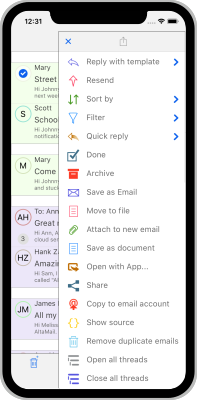
Slice, Splice and Dice
Stand back and look at the big picture.
Create your own filters and custom searches to display emails in a way that's useful to you. View all emails for a contact, search for attachments, keep tabs on categories and even sort your inbox by your own priorities.
View multiple selected folders and accounts together to get a quick snapshot of what's happening.
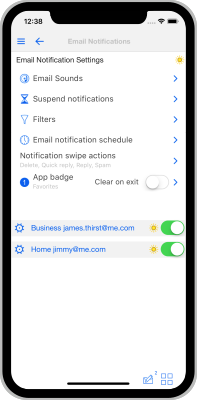
Smarter Notifications
Filter by importance and time.
The fast notifications can be filtered so you only see alerts for what matters to you. Add filters and sounds for email types, subject, sender, account and much more. Choose sounds or add your own. Handle quick actions from the lock screen or your Apple Watch.
Make schedules for alerts and silent times, even for each account if you want.
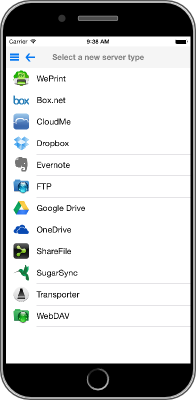
Attachments and Files
Read it, save it, send it.
AltaMail has powerful file management to quickly view and save email attachments, or pluck files from the cloud or your computer to send when needed. Organize files and cloud servers and even archive emails offline as files for viewing or printing later.
Zip multiple files and convert documents and images to PDF attachments so anyone can read them.
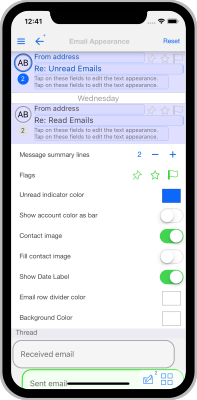
Your Mail App, Your Way
Change AltaMail to look and work the way you want.
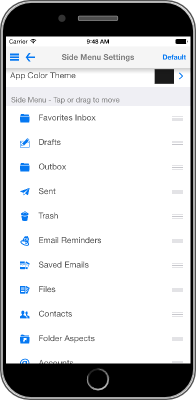
From choosing email fonts and colors, to choosing what gets included in menus - you can build your own app layout.
Create your own swipe actions or choose the actions you use the most - as instantly accessible buttons or a popup box. View your inbox with your most important emails floating to the top.
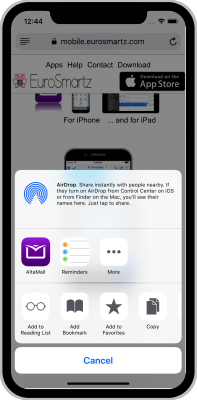
Plays Nicely with Others
Email files and images from other apps.
Files and attachments in AltaMail can easily be moved to or from other apps. Use the share extension to email files, web pages and images directly from inside other apps without switching.
Use "Open in" or iCloud Drive to access files from other apps or from your Mac. Paste images and web snippets into emails to send instantly.
Templates and Contacts
Write once, send often.
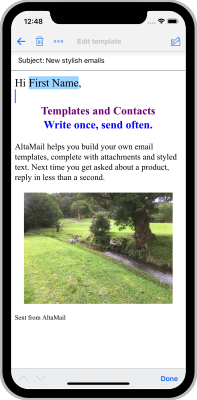
Do you find yourself sending the same email or need a quick reply? AltaMail helps you build your own email templates, complete with attachments and styled text. Next time you get asked about a product, reply in less than a second.
Need to send a newsletter with a personal named greeting? Create custom Contact Groups or use existing groups/contacts and send template emails, one email for each person. View all emails for each contact.
...and everything in between
AltaMail has the most features of any Email App. When you need it, it will be there.
From scheduled send later, printing to all printers, PDF conversion, multiple formatted signatures, flags and categories, multiple address aliases... to syncing settings and drafts between your iPhone and iPad, AltaMail has many more features waiting for when you need them.
User Reviews
App Store
If simple and feature anemic is what you're looking for, pick *any* other email app. This one has every feature any serious email user could need. Amazing, took too many years for the first good email app to hit the iPhone.
App Store
The One thing about this app that is really phenomenal, Is the ability to customize it to your liking!! the features you can choose from are pretty amazing!
App Store
Awesome email client. I use it as my main email client since I found its great features.
App Store
Highly customizable, easy to configure, faster than Apple's Mail app, and a pleasure to use. I had a question, emailed for help, and had a response in 10 minutes. I responded and had another reply minutes later that answered my question. This app is worth the purchase.
App Store
Intuitive, fast, and has most of the features of a full email program. Thank you!
App Store
This app rocks it...very granular but intuitive configuration options. I love the mail collector (Favourites) inbox, no more switching between accounts. The email problems that have plagued my iPhone since iOS 9 are gone!

"View email headers with AltaMail"
"It gets 5 out of 5 for its unique features that set it apart from all the other similar apps."

"AltaMail revolutionizes email on iPhone and iPad"

"One Stop Shop Email Management"

"This is a great email app that will let you do tons more than any built-in app"

"AltaMail is the ultimate
"inbox zero" app"

"AltaMail is the Client to beat for IOS"

"AltaMail is a powerful alternative to the Mail app"

"AltaMail is preloaded with tons of features"
"AltaMail is like Mail Pro for iOS"
"AltaMail provides a new way to view and manage your email."