




Save2PDF
Convert, Create, Merge and Append PDF files
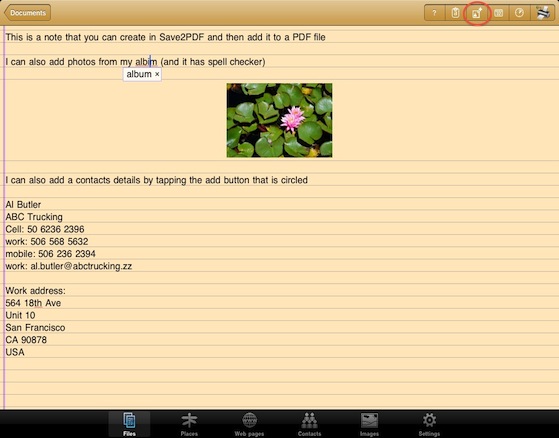
Create professional, great looking PDFs simply and easily right on your iPad or iPhone without having to go near a computer! Save2PDF will convert most file formats into a PDF including Word, Excel, Powerpoint, Pages, Numbers, Keynote, Photos, Web Pages, Contacts and many more.
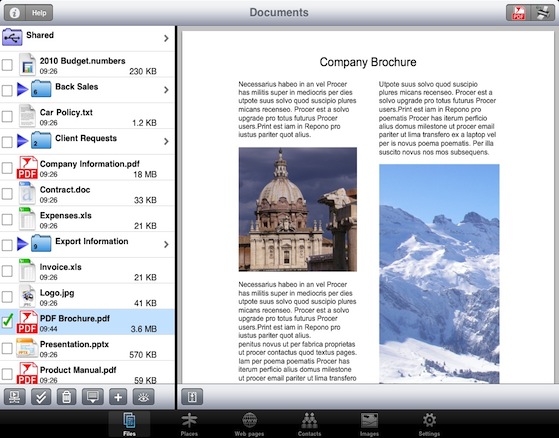
Save2PDF also enables easy merging of several documents into a single PDF, even if the files are completely different formats (i.e. create a single PDF by combining a document with a spreadsheet, or a Pages document with a Word file). It is also just as easy to merge multiple PDFs into a single PDF file.
One of the other powerful features of Save2PDF is the ability to select a few pages from a file (i.e. a document or PDF) and a few from one or multiple other files - creating a new PDF containing only the pages required from those files.
The PDF creation, arrangement and preview screen is intuitive and easy to use. Rearranging document order, selecting page ranges and adding further documents is all contained within one single area; there is no complicated file structure or hierarchy to learn!
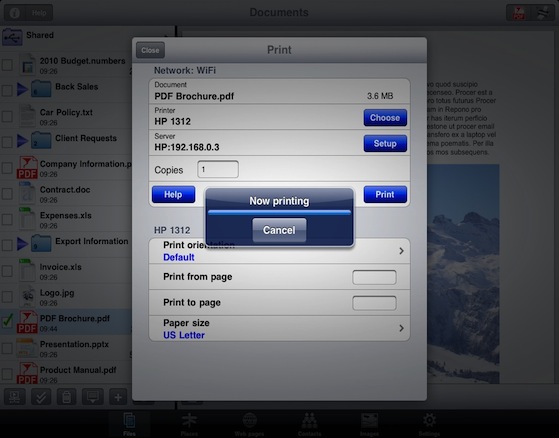
With Save2PDF you can print or convert PDFs from other apps using "Open in..." or other methods - directly to most existing WiFi printers or to ALL printers via your Mac or PC.
Videos



Features
PDF Conversion & Merging
- View/Convert/Merge Microsoft Office files, iWork files, Photos, PDFs, Contacts, Web Pages, Email & Email attachments as well as many more file formats
- Create a single PDF from multiple files even if they are a different format (i.e. merge a Word file with a Pages document with an existing PDF etc.)
- Save Web pages as PDFs
- Print or convert PDFs from other apps using "Open in..." or other methods
Full Featured Printing
- Print direct to most existing WiFi or shared printers, or use the free printer software for ALL printers
- Print from other apps using "Open in..."
- USB & Bluetooth printers can be used with free print server software, WePrint
- Print to any AirPrint enabled printers
- Print remotely via 3G/4G
- Print using ALL the same document formats to ALL printers that can used by your Mac/PC (e.g. USB, WiFi, Bluetooth, shared, networked etc.)
- Print via Google Cloud Print
Document Viewing
- View multiple documents in easily organized tabs
- Ultimate big PDF reader
- View & print PDF documents
- View/Print Office 2007, XP, 2003 & 2008 files
- View/Print iWork Pages, Numbers & KeyNote files
- Zip/Unzip files directly on your iPad
- View files/documents in portrait, landscape and full screen mode
- Edit and print text documents
- Group files into folders
- Drag and drop files and folders to arrange
- Navigate through your computer's folders to find files
- Copy whole folders from your computer
- Share files with several Macs and PCs, even remotely
Cloud Services & Email
- Save attachments directly from Mail to Save2PDF
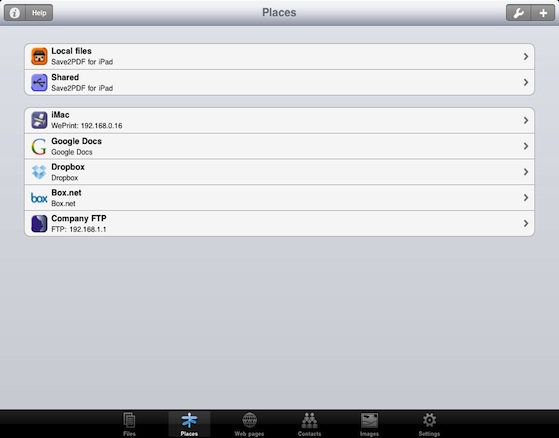
- iCloud, Box.net, Dropbox, Google Drive, ShareFile, Skydrive, SugarSync, FTP, WebDAV - all supported
- Move, edit and print documents on your iPad or iPhone from your Cloud account
- Move files to/from your iPad or iPhone by connecting to Cloud account
- Share documents via Email


Independent Media Reviews
Macworld: "Save2PDF is a superb app that provides a fairly unique function"
iAppSin: "Save2PDF is a practical app dedicated to converting and merging PDF files"
iPad.net: "It is definitely a must-have app for professionals who use their iPad for business purposes"
TouchMyApps: "There’s currently nothing like it at the App Store and iDevice users who’ve always wanted to create their own PDF files should definitely check it out."