




CalPrint for iPad
Calendar and Reminder printing, viewing and editing
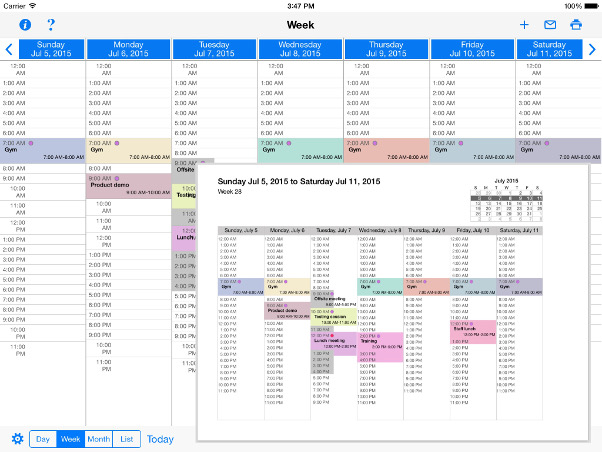
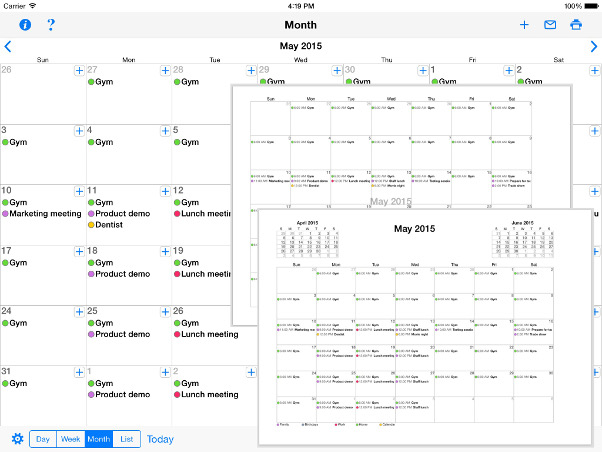
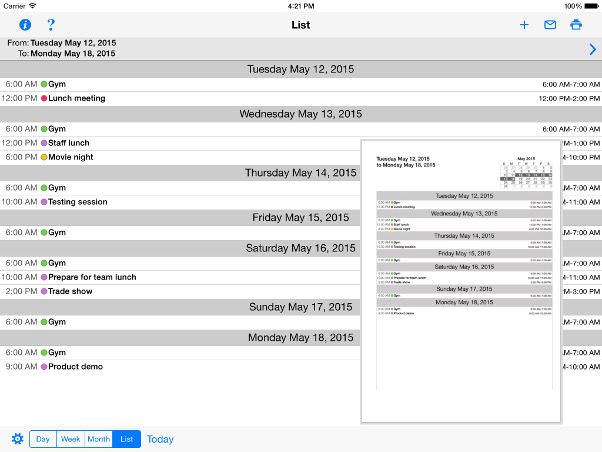
CalPrint uses your existing reminders and calendar entries on your iPad or iPhone (Exchange, iCal and Google Calendars etc.) and is not just a great calendar/reminder printing utility, it is a fully featured calendar viewing and organization app that enables you to view, group, add or edit your appointments and tasks. You can easily get an overview of your schedule by Day, Week, Month or as a list of appointments.
Tap at the top of the day schedule to view the month calendar and easily switch days - no longer be restricted by only seeing two lines of your schedule! And of course at any time you can print off Day/Week/Month views of your calendar right from your iPad or iPhone.
Print your Shopping list, to do list and shared family lists or email reminder lists to other people.
CalPrint also incorporates Microsoft Exchange (Outlook) and Google Calendar. By simply having an existing, or adding a new Exchange or Gmail account in the iPad or iPhone main Settings and enabling Calendar, CalPrint becomes a single point of access for multiple calendars and does away with the need for a series of apps.
Videos


Calendar features
- Utilizes existing calendar entries, no new calendar needed.
- View/Print/Email by Day/Week/Month and list
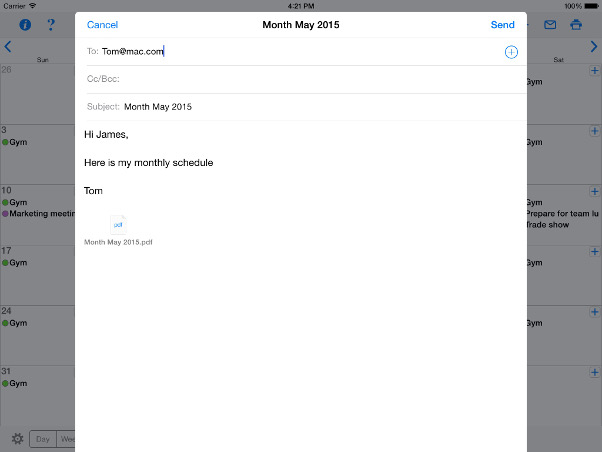
- Emails calendar views as PDF files for sharing
- Handy Month drop-down view
- Easy scroll of week view
- Quickly zoom to a day in month view using pincer movement
- Easily create new appointments on the fly
- Integrated with Google and Exchange Calendar
Reminder list features
- Choose which reminder lists to display and print.
- Print your shopping list, to do list, or other lists shared with your family
- Filter by scheduled and completed
- Search for text in reminders to filter results
- Email your reminder lists as PDF files
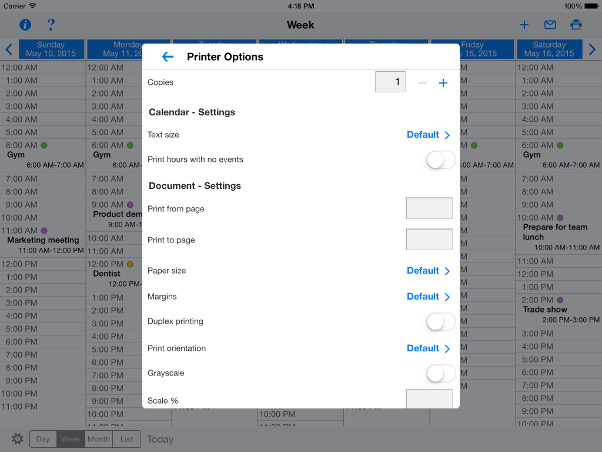
Fully funtional printing with options
- Print direct to most existing WiFi or shared printers, or use the free printer software for ALL printers.
- USB & Bluetooth printers can be used with free print server software, WePrint
- Also print to AirPrint printers
- Print remotely via 3G/EDGE
- Print using ALL the same document formats to ALL printers that can used by your Mac/PC (e.g. USB, WiFi, Bluetooth, shared, networked etc.)


Comments & Reviews
"Tried many apps to print calendar. This works great. Easy to use."
"So far no problems! I love that I can print my calendar easily"
"I needed a way to print my weekly iPad calendar and my printer is not a "AirPrint" printer. I installed this and it works great!"
"I hate paying for apps only to find out it was a waste of money, THIS ONES WORKS GREAT. Love it! Also, great customer service"