




Download this full press kit package as a single file from here
Links
App Store - iPhone & iPad:
https://esz.nz/ami
https://itunes.apple.com/app/id1272521597?mt=8&ls=1
App Icon

Overview:
https://esz.nz/am
https://m.eurosmartz.com/products/altamail.html
Specifications:
https://m.eurosmartz.com/products/altamailspecs.html
Work-Life Balance:
https://m.eurosmartz.com/help/app/am/worklifebalance.html
Press Release:
https://esz.nz/p39
Help:
https://m.eurosmartz.com/app/am/
Support - Round the clock:
https://m.eurosmartz.com/contact.html

Facebook:
https://www.facebook.com/eurosmartz
Twitter:
https://www.twitter.com/eurosmartz
YouTube:
https://www.youtube.com/user/EuroSmartz
YouTube AltaMail Playlist:
https://esz.nz/vam
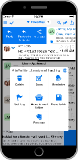
iPhone Screen Shots
 Edit Rules
 Work-Life Balance options
 Notification options
 Choose email fonts, colors and layout
 Choose swipe actions
 Swipe action settings
 Create your own folder view screens
 Reply with your own templates
 Supports All Accounts
 Inbox Threads, "Pinned" & Flags
 Swipe actions - popup option
 Swipe actions - button option
 Inbox "sort by" options
 Smart Folders
 Formatted text & images
 Draft email
 Save and send cloud server files
 Full File Manager
 Choose side menu options
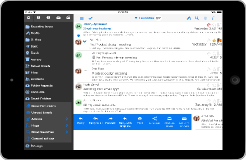
iPad Screen Shots
 Edit Rules
 Work-Life Balance options
 Notification options
 Choose email fonts, colors and layout
 Choose swipe actions
 Swipe action settings
 Create your own folder view screens
 Reply with your own templates
 Supports All Account Types
 Swipe actions - popup option
 Swipe actions - button option
 Formatted text & images
 Inbox "sort by" options
 Full File Manager
 Save and send cloud server files
 Choose side menu options
User Reviews
App Store
If simple and feature anemic is what you're looking for, pick *any* other email app. This one has every feature any serious email user could need. Amazing, took too many years for the first good email app to hit the iPhone.
App Store
The One thing about this app that is really phenomenal, Is the ability to customize it to your liking!! the features you can choose from are pretty amazing!
App Store
Awesome email client. I use it as my main email client since I found its great features.
App Store
Highly customizable, easy to configure, faster than Apple's Mail app, and a pleasure to use. I had a question, emailed for help, and had a response in 10 minutes. I responded and had another reply minutes later that answered my question. This app is worth the purchase.
App Store
Intuitive, fast, and has most of the features of a full email program. Thank you!
App Store
This app rocks it...very granular but intuitive configuration options. I love the mail collector (Favourites) inbox, no more switching between accounts. The email problems that have plagued my iPhone since iOS 9 are gone!


