







PrintCentral Pro - on the Discovery Channel
PrintCentral Pro has been featured on the Discovery channel by NewsWatch.
Check out their video review of the extensive Cloud and File Management features of PrintCentral Pro, as well as printing from your Apple Watch.
Easily transfer files, images and your clipboard between devices
With the new PrintCentral Pro and WePrint you can quickly send files from your Mac or PC with a couple of clicks. Right click on a file or drag items to send to your iPhone or iPad.
Send Web Page links, phone numbers and more between your devices or even to others in your network. Your computer and iPhone/iPad can now work together seamlessly - the way it should be.
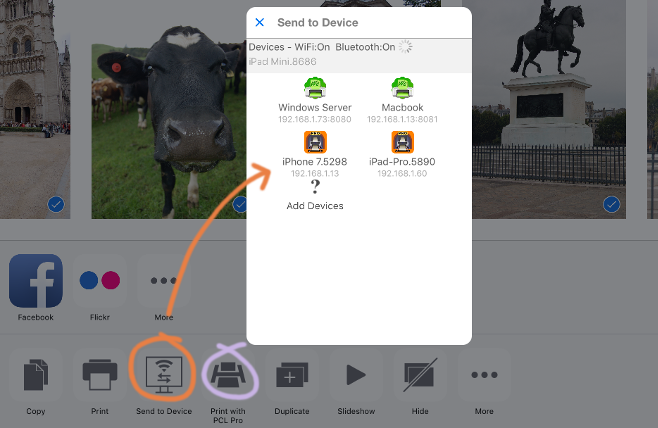
Transfer Photos and Files to other devices
Quickly move photos, file and other items to other devices using PrintCentral Pro. View your photo album, emails or cloud servers and select items to transfer to your Mac, PC or another iPad/iPhone.
Quickly distribute documents in meeting over Bluetooth or Wifi, or just show off your latest photos to your friends over dinner.
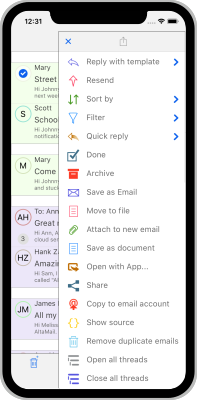
 AltaMail
Huge new app update, AltaMail v6.0!
For iPhone & iPad
For its 8th Birthday (yes 8 years on the App Store!), AltaMail has a huge new app released with a huge range of new features http://esz.us/am6.
Faster push notifications, more advanced rules, location based inbox views, split screen card views, folder filters views, calendar integration, meeting requests and much much more.
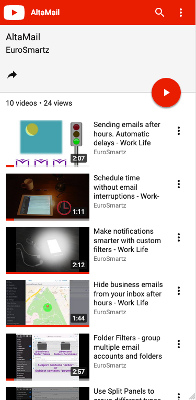
Subscribe to our YouTube Channel to see the latest videos being added.
http://esz.us/amlocv and http://esz.us/amrulv.
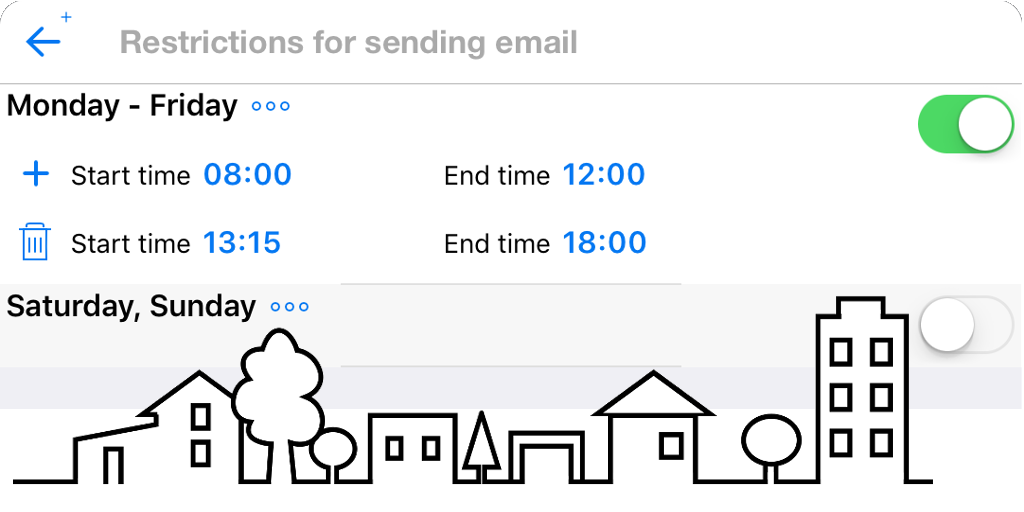
Automatically delay sending emails until you are back in the office or home
Avoid interrupting your colleagues with after hours emails with AltaMail. You can choose locations or schedules to automatically hold your outgoing emails for a more suitable time or place, such as during work hours. Choose which accounts are for business or personal use to delay emails. You can also choose to override the delay to send immediately.
 AltaMail
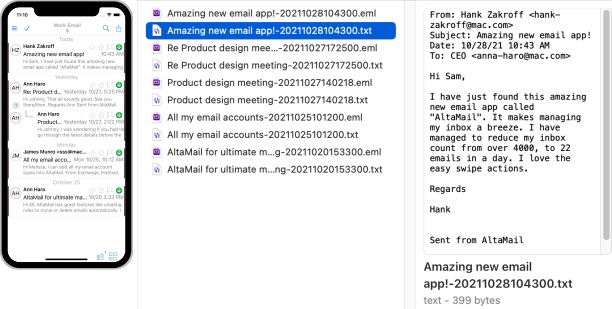
Quickly tame all of your email
For iPhone & iPad
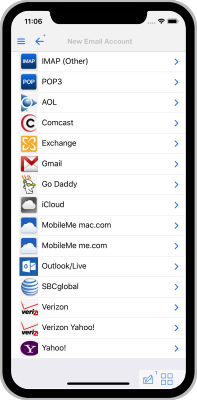
Whether your email accounts are Exchange, Outlook, IMAP, POP or one of the multitude of email providers, AltaMail will quickly add an email account to your list.
Use quick swipes to clear your inbox. Bulk move, delete and archive. Postpone emails with reminders. Create rules to move and reply to emails. Use your own templates for mailshots and common responses.
 PrintCentral Pro
Our Ultimate Business Print and Document Management App
For iPhone & iPad
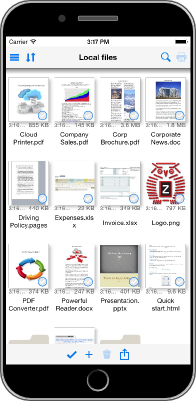
Print Emails, Documents, Calendars, Web Pages, Images, Contacts and your Clipboard. Print to ALL printers. Access all of your cloud servers to print, move and organize your files. Convert documents, web pages etc to PDF files. Access and print files from other apps.
Use folders to manage your files and search. Print/PDF your calendar day, week and month. Store and play videos and even print video frames.
 WritePDF
Edit/Sign PDFs & merge Files, Web Pages and Images to PDF
For iPhone & iPad
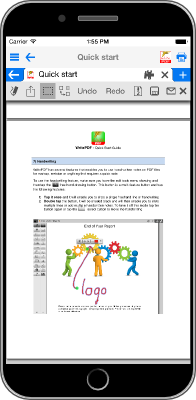
WritePDF is a powerful PDF editing/printing tool that is usually reserved for computers. Move beyond ordinary PDF viewing & annotation!
Build your own PDF documents with images, web pages, text and drawing objects. Sign documents and fill out forms. Edit documents on cloud servers.

 CalPrint
Print, PDF, View and Edit your Calendar & Reminders lists from an iPad or iPhone.
For iPhone & iPad
CalPrint uses your existing reminders and calendar entries on your iPad or iPhone (Exchange, iCal and Google Calendars etc.) and is not just a great calendar printing utility, it is a fully featured calendar viewing and organising app that enables you to view, group, add or edit your appointments and tasks.
Send your daily, weekly or monthly calendar as a PDF email attachment. Print your shopping lists, To Do list and even shared lists with your family
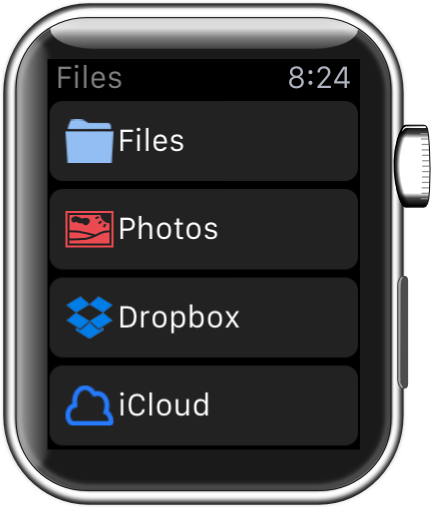
Print from your Apple Watch - a World First!
PrintCentral Pro for the Apple Watch will print all the same cloud server files as the iPhone App.
Scroll through files and folders to preview - and then print the files you want, to the printer you choose.
View all of your photo albums and images without syncing, and then print them.
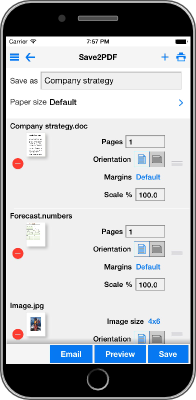
 Save2PDF
Convert & merge Files, Web Pages and Images to PDF
For iPhone & iPad
Create professional, great looking PDFs simply and easily right on your iPad or iPhone without having to go near a computer! Save2PDF will convert most file formats into a PDF including Word, Excel, Powerpoint, Pages, Numbers, Keynote, Photos, Web Pages, Contacts and many more formats.
